
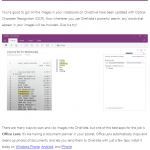
okay I’m about to PSA about OneNote, my favorite* corner of MS software because it has enabled me to be the datamonster I am!
today I received the above email from the OneNote team. now normally I am like the rest of you. my eyes glaze over when I receive a tech company’s marketing material. but something about this caught my eye. maybe it was the unassuming design of the email. maybe it was the lack of buzzwords. but when I realized what it was, I realized it had just changed the way I keep my personal records.
while I don’t think that it’s smart to go entirely paperless, I do have quite a bit of experience with trying to manage and search through massive sets of paper files, both my creative stuff and my household stuff. it can get pretty gnarly.
this, though? when you drop image files containing numbers or text into a OneNote file, Optical Character Recognition technology can read – and thus allow you to search – those words and numbers.
that means receipts, doctor’s reports, insurance claims, bills, bank statements, typed story notes, even manuals for your household appliances… all of this becomes searchable. it’s the digital archive you don’t have to type up in order to peruse.
if you have a Windows Phone (or an Android or an iPhone!), this is as easy as downloading the Office Lens app and taking a photograph of any document (or any thing??! I’m testing this on a road sign later), which you save to the OneNote notebook of your choice. if you don’t have a smart phone, you can also take photos with a digital point-and-shoot and then import the images into OneNote pages on your computer.
even if you don’t get rid of your entire filing cabinet – and I personally wouldn’t recommend it – this makes your personal data searchable. and when you know what you’re looking for, but not where to find it, this can be a game-changer.